i
Average fill price
A big order eats through several price levels. The panel walks the book level by level and shows your average price, the best price and the slippage between them.

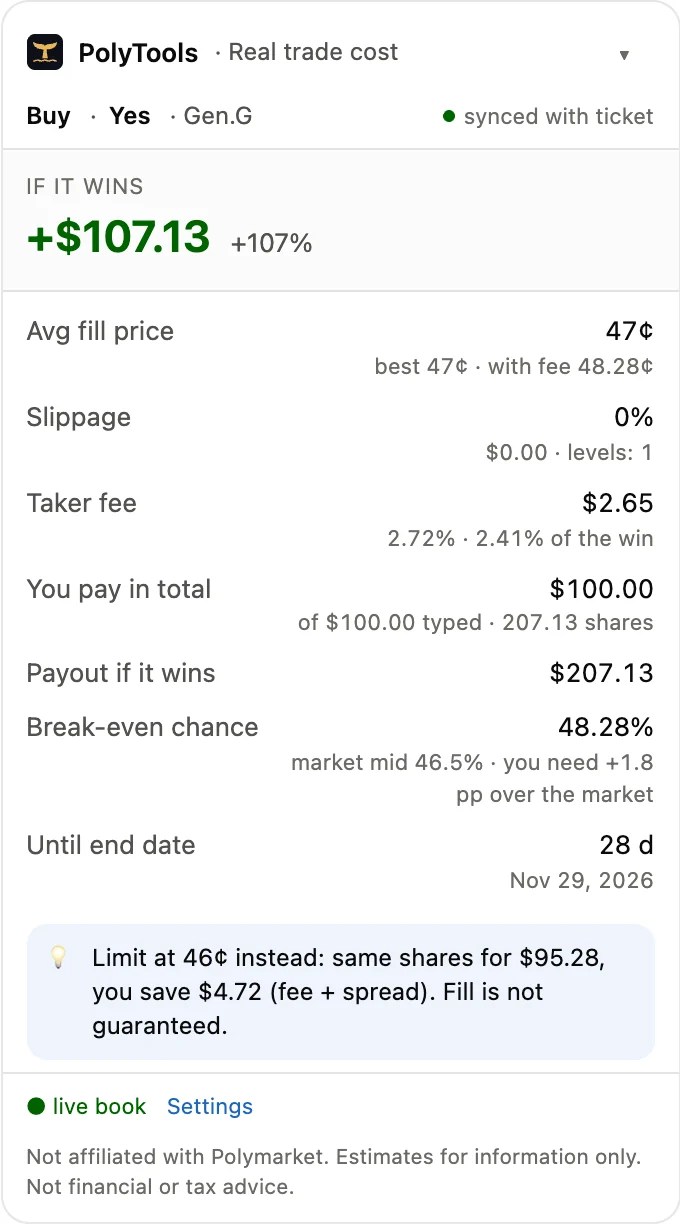
A small panel under the order ticket on polymarket.com. It walks the live order book and shows the price you actually get, the fee, what you receive if you win and the chance you need to break even.
Install it on a computer: phone browsers can't load this extension.
FreeNo wallet access5 languages
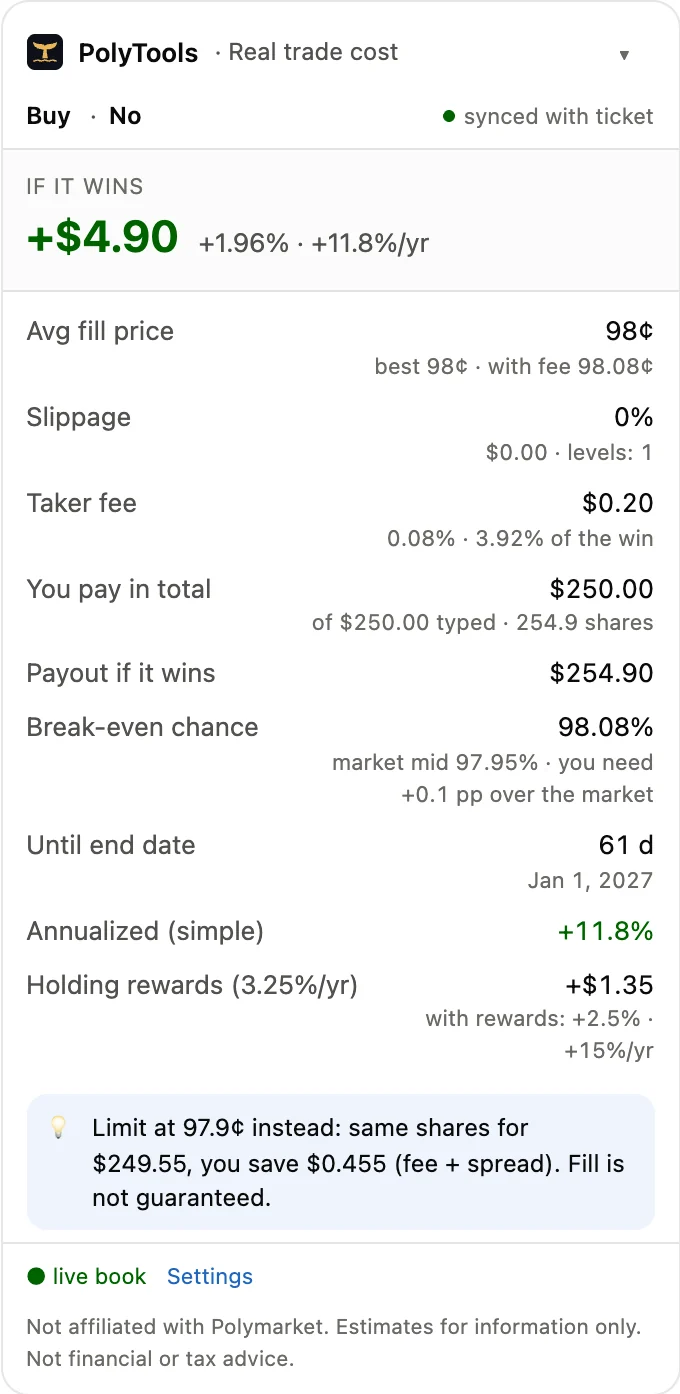
Real screenshot: buying No for $250 on polymarket.com
What you see
The Polymarket ticket shows your amount and the payout. The panel adds everything else, computed from the same live order book.
i
A big order eats through several price levels. The panel walks the book level by level and shows your average price, the best price and the slippage between them.
ii
Fee rates differ from market to market. The panel reads each market's own fee settings and counts the fee the way the ticket does, fee free promos included.
iii
What you pay in total, what you receive if your outcome wins and how much of the profit the fee takes.
iv
The probability at which the trade pays for itself, next to the market price. You see how much edge over the market you need.
v
Days to the end date, a simple annualized return for near-certain trades and the holding rewards estimate where a market pays them. Hidden where it would mislead, like longshots and trades under 7 days.
vi
When a limit order at a better price would save money, the panel says how much. It warns about thin books, high slippage, a fee that eats the profit and returns below your own benchmark.
Works with Market and Limit orders, Buy and Sell, events with many outcomes, sports lines and the 1-Tap buttons. The order book updates live over Polymarket's own data feed.
Checked against Polymarket
We test the panel against Polymarket's own ticket on live markets. In our latest sweep of 46 markets, 169 of 175 checks matched. The rest came from fast books that moved between two readings, and from one edge case we have since fixed.
Order ticket on polymarket.com
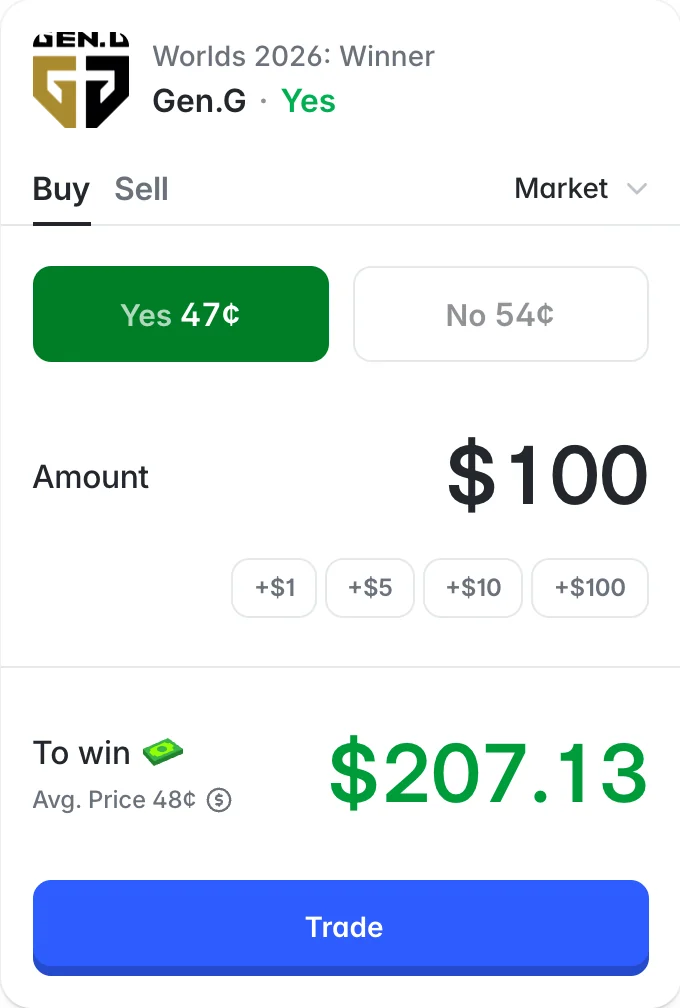
Added by PolyTools Trade Cost
Private by design
All the math happens on your computer. There are no PolyTools servers in the loop.
It reads Polymarket's public market data. No API keys, no login, no wallet connection.
It has no access to your funds and can't place, change or cancel orders.
No analytics, no tracking, no accounts. Settings and cached data are kept by your browser and never sent to us.
The code is plain, readable JavaScript, and every permission is listed on the extension card. Read the code · Read the privacy policy
Install
The extension is not in the Chrome Web Store yet, so you add it by hand. Five steps, and it works in Chrome, Edge, Brave, Opera and other Chromium browsers on a computer.
polytools-trade-cost-0.1.1chrome://extensionsIn Edge the address is edge://extensions, in Brave brave://extensions, in Opera opera://extensions.
Keep the folder: Chrome loads the extension from it at every start, and deleting the folder removes the extension. Documents is a better home for it than Downloads.
On Windows, Extract All can put the folder inside another folder with the same name. In step 4, pick the inner one, the folder with manifest.json in it.
Chrome may remind you that developer mode extensions are on. That is normal for extensions installed by hand.
To update, download the new version, replace the folder and press the reload arrow on the extension card.
Firefox and store versions are not out yet. We announce new versions on X first.
Questions
Yes. Both PolyTools extensions are free, with no paid tier and no ads.
You install exactly the code in the folder. It is plain, unminified JavaScript that anyone can read, and the extension card in your browser lists every permission. It can read polymarket.com and Polymarket's public data, and nothing else.
No. It runs in desktop browsers on polymarket.com. In a narrow window the panel folds into a small round button.
From each market's fee settings in Polymarket's public data, with the formula from the Polymarket documentation. Only takers pay it: a limit order that rests on the book pays no fee. We explain the math in our article on Polymarket fees.
No. It only reads the page and adds its own panel. Your orders go to Polymarket exactly as before.
Polymarket is unavailable in some countries. Check the official list and your local laws before you trade.

See how your past trades really went: PnL after fees, results by category, entry calibration and early exits, for any Polymarket wallet.
New versions, new tools and short guides go out on X first.